

Choosing the right WordPress plugins for your website can be hard. The sheer number of free and premium plugins, and the amount of information circulated about them, often results in people having to put in hours and hours of research to help them decide on the best plugins for their sites.
Luckily, we have put together this collection of top WordPress plugins, to help save you time and ensure you have the best plugins installed and running on your site. We have made sure we included a range of plugins that will add all the essential functionality your WordPress site will need, as well as plugins that add powerful advanced features, to give your website an edge over the competition.
To make it easier to find the right plugins for your site, we’ll divide our list into six different categories:
- Marketing and SEO plugins
- Security and anti-spam plugins
- Content creation plugins
- Monetization and payments plugins
- Performance plugins
- Misc. plugins
So let’s check out which WordPress plugins made the cut…
Best Marketing and SEO Plugins
These plugins help you boost your marketing efforts, including optimizing for search engines, growing an email list, and more.
1. Yoast SEO

Yoast SEO is the leader in its field when it comes to search engine optimization. This free plugin comes with a ton of features including XML sitemaps, title and meta description templates, schema implementation, and control over your site’s breadcrumbs.
Importantly, Yoast SEO also analyzes everything that appears in your content – keywords, titles, meta descriptions, and more – to optimize your posts and pages for the search engines.
What’s the alternative?
Having an SEO plugin on your WordPress website is a must. So if you aren’t keen on Yoast SEO then Rank Math is a great alternative.
2. Rank Math
While we mentioned Rank Math as an alternative to Yoast SEO, it’s so good that it deserves its own spot on any list of the best WordPress plugins.
Rank Math can do everything that Yoast SEO can do. But one of its standout points is that it also adds a lot more features than Yoast SEO, even in its free version. For example, you can optimize for multiple keywords, get related link suggestions, set up redirects, and more – all for free.
What’s the alternative?
We already mentioned a good alternative above – Yoast SEO!
3. Convert Pro

Convert Pro is a popular plugin to help you grow your email list with popups, slide-ins, notification bars, and other types of forms. It integrates with most popular email marketing services so that you can add subscribers directly to your service of choice.
You can start from pre-built templates and customize everything using a visual, drag-and-drop builder. You’ll also get advanced targeting and trigger rules, along with analytics and built-in A/B testing.
Convert Pro costs $79 for use on unlimited websites.
What’s the alternative?
If you’re looking for a free opt-in plugin, Optin Forms is a good free alternative. Thrive Leads is also a good premium option if you’re interested in other plugins from Thrive Themes.
4. MailerLite

MailerLite is a powerful email marketing service that helps you manage your subscribers and send them one-off or automated emails. You can easily create dynamic flows and set up automatic emails to market on autopilot.
It integrates with most popular WordPress list building plugins, including the Convert Pro plugin from above. There’s also a free dedicated plugin at WordPress.org to help you create signup forms.
As a side note, MailerLite is also the actual service that we use to manage email marketing here at WPKube.
What’s the alternative?
There are numerous email marketing services to choose from. Constant Contact can be another good option or MailPoet for a freemium native WordPress option.
5. Monarch Social Sharing

Monarch is a social media sharing plugin created by Elegant Themes. Integrating with over 35 social networks, this plugin will encourage readers to share your posts and pages, helping your content to reach a wider audience.
Within the dashboard of this all-in-one solution, you can customize your sharing buttons and configure your display settings, as well as monitor analytics to see how your sharing buttons are performing. This premium plugin is available when you purchase an Elegant Themes license, which also gives you access to the Divi and Extra themes, as well as the lead generation plugin Bloom.
💲 Don’t forget to use our Elegant Themes coupon to get 20% OFF.
What’s the alternative?
Social Snap is a complete social media tool kit, that includes social sharing buttons as well as social follow buttons, click-to-tweet, and automatic social sharing, to name a few options. Or, NovaShare if you only need the most popular networks and you want the best performance.
6. Gravity Forms
Gravity Forms is an impressive freemium plugin that will enable you to add stylish and highly optimized forms to your WordPress website. Create and display a range of form types including contact forms, surveys, online orders, quizzes, file upload forms, and more.
Gravity Forms also provides an extensive list of features to help enhance each form you add to your site. Design your forms using the intuitive visual form builder, select from 30+ form fields, use conditional logic to personalize what your users see, and integrate your forms with third-party services to streamline your workload.
What’s the alternative?
Simple Basic Contact Form is an impressive free WordPress contact form plugin (which we will discuss next)…
7. Simple Basic Contact Form

If you are looking to add a simple yet effective contact form to your website, that is quick and easy to create, then the free WordPress plugin, Simple Basic Contact Form, is for you. Designed by the developers over here at WPKube, this plugin is clean, secure, and extremely flexible.
Using this plugin, you can easily configure a stylish contact form via the plugin settings. You can then display the form anywhere on your site using either a shortcode or a template tag. Simple Basic Contact Form also blocks spam and protects against malicious content.
What’s the alternative?
If neither Gravity Forms or Simple Basic Contact Form appeals to you, then you should check out WPForms, another professional form builder plugin (read our WPForms review).
Visit Simple Basic Contact Form
8. MemberPress

MemberPress is a leading solution in the membership plugin sphere. Not only is it extremely user-friendly, but it also has an impressive list of features, helping you to quickly build a professional and successful membership website.
MemberPress offers extensive control over membership privileges, pricing pages, subscription management, content dripping, and a ton of integrations. And to top it all off, this plugin starts at just $149 a year.
What’s the alternative?
If MemberPress is outside of your budget, then Paid Memberships Pro offers a free version of its service, with premium extensions available when you need the extra functionality.
👉 You should also check out our collection of the best WordPress membership plugins.
9. Social Image Generator

Social Image Generator solves a very big pain point for WordPress blogs – creating social media share images. Normally, you need to create these images manually using a tool like Canva. But with the Social Image Generator plugin, you can automatically create social media images right from your WordPress dashboard.
You can choose from various image templates and pre-fill them with details like a post’s title or featured image. You’ll also still get the ability to manually override the share image from the post editor.
Overall, if you’re looking for a more streamlined, intuitive way to create social media images for your blog posts, this is a great one to have.
Social Image Generator costs $39 for unlimited images, which is well worth the money when you consider how much time it can save you.
What’s the alternative?
We’re not aware of any WordPress-specific tool that can do this automatically, except maybe something like Placid. Your other option would be manually using Canva.
Best Security and Anti-Spam Plugins
These plugins help you protect your site from malicious actors, like people trying to spam you or infect your site with malware.
10. Akismet
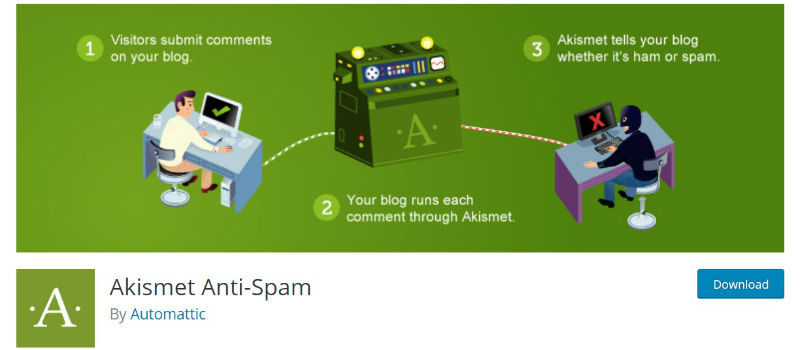
Spam can be a major problem, and a drain on your resources and time. Thankfully the free WordPress plugin Akismet can deal with spam for you. By default, Akismet comes pre-installed on all new WordPress installations, but can also be found in the WordPress repository should you need it.
Akismet’s main task is to filter spam comments and pingbacks, so you are left with legitimate blog comments that you can publish on your site’s discussion boards. Although Akismet works for free on personal blogs, you will need to pay for its service if you are running a commercial site.
What’s the alternative?
Spam Protect by Clean Talk provides protection from spam for all major comments and forms plugins, as well as landing pages, email services, WooCommerce sites, and more. Although there is no free version of this plugin, prices start from only $8 a year.
11. Sucuri

A premium security plugin, Sucuri will help to keep your website safe and secure. This high-end plugin will protect your website using a variety of tools and features including 24/7 monitoring, a cloud-based firewall, and malware removal.
Sucuri will also boost your site’s performance via its highly optimized CDN. For more information on how to keep your site safe, check out this article – 7 Ways to Protect Your Website.
What’s the alternative?
Sucuri isn’t cheap, with prices starting at $199.99 a year. For a free and effective alternative to Sucuri, check out the WordPress plugin Wordfence.
12. UpdraftPlus
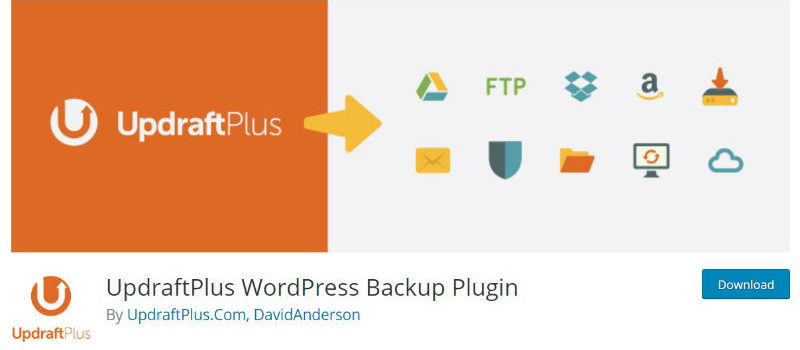
As well as installing a reliable security plugin, backing up your website is also a must. UpdraftPlus is a freemium WordPress plugin that will enable you to rest easy, knowing that your website is backed up and ready to be restored with a click of a button, if the need arises.
With UpdraftPlus, you can back up to Dropbox, Google Drive, Amazon S3, and many more locations. You can then set automatic backups to a schedule of your choice. To find out more about backing up your website with this plugin, have a read of our guide to UpdraftPlus.
What’s the alternative?
If you are looking for a more advanced backup solution, BlogVault might be for you. Don’t forget to take advantage of our BlogVault coupon.
13. Limit Login Attempts Reloaded

Brute force attacks are a really common attack vector for WordPress sites. With a brute force attack, a malicious actor will basically just guess a bunch of different username/password combinations until they find one that works.
To prevent these types of attacks, you can add a temporary block if someone enters the wrong credentials too many times (this is the technology that most banks use). Limit Login Attempts Reloaded makes these really easy to set up on your WordPress site.
The main limit login features are free and most sites will be fine with just the free version. If you want even better protection, you can upgrade to the premium cloud app which lets you block countries, share blocklists across sites, intelligently block/unblock IPs, and more.
What’s the alternative?
Login LockDown is another popular free option to limit login attempts.
Visit Limit Login Attempts Reloaded
Best Content Creation Plugins
The plugins in this section give you more control over creating content on your WordPress site, either by adding new features to the native WordPress editor or giving you new editing experiences.
14. Elementor
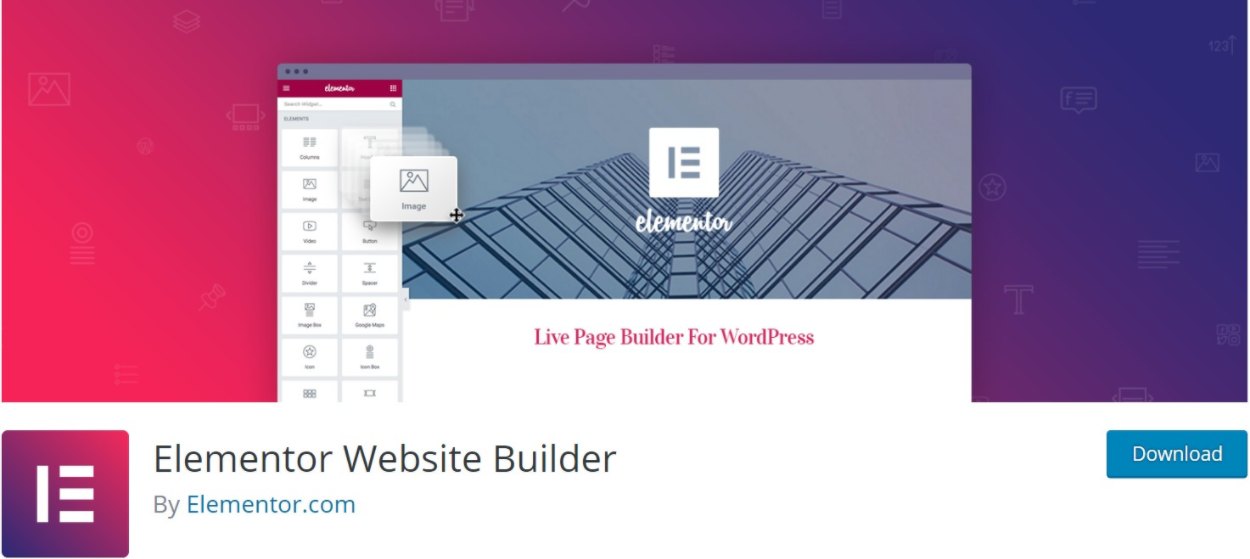
Elementor is a visual, drag-and-drop page builder plugin. Essentially, this means that it lets you build 100% custom designs without the need for any technical knowledge.
You can add content using widgets and style everything using flexible design options. You’ll also be able to use rows and columns to control your layouts.
Overall, if you ever wished that you had more design control over WordPress, Elementor is a great option.
There’s a free version at WordPress.org. After that, paid plans start at $49 for use on a single site.
👉 You can learn more in our full Elementor review.
What’s the alternative?
There are a lot of other great page builder plugins. Two good options are Divi Builder (our review) or Beaver Builder (our review).
15. Ultimate Addons for Gutenberg

Ultimate Addons for Gutenberg is a free collection of blocks for the native WordPress block editor (AKA Gutenberg). It adds over 25 new content blocks that you can start using in the editor right away. And it’s also 100% free – there are no locked-away paid features.
What’s the alternative?
There are a lot of great block plugins, so you can find plenty of good alternatives. An especially good option is the free GenerateBlocks plugin. It doesn’t add as many blocks, but the blocks that it does add are very useful.
Visit Ultimate Addons for Gutenberg
16. Yoast Duplicate Post

Yoast Duplicate Post is a really handy plugin for creating content or updating existing content on your site. With a single click, it lets you duplicate any existing post, page, product, custom post type, etc. You can even open the duplicated version in the editor right away.
If you’re updating existing content, it has a super useful Rewrite and Republish feature that works like this:
- Create a duplicate of the existing post.
- Make your edits in the duplicate version.
- Once the edits are good to go, you can merge your changes back into the original post to publish the changes without changing the URL.
Yoast Duplicate Post is 100% free.
Best Monetization and Payments Plugins
The plugins in this section help you monetize your site.
17. WooCommerce

If you are looking to create an eCommerce store, then installing WooCommerce is a must. This high-end plugin has everything you need to sell physical, digital, or affiliate products online. It is also thoroughly supported by the WordPress community, integrating with an array of purpose-built WooCommerce themes, as well as plugins and other tools.
Although the core WooCommerce plugin is free to use, as your store grows you may well need further advanced functionality, which is available through premium WooCommerce extensions. For more information on this plugin, check out our WooCommerce Tutorial.
What’s the alternative?
A popular eCommerce alternative to WooCommerce is Shopify (which you can still use with WordPress via a plugin like WP Shopify). If you aren’t sure which is the right solution for your project, have a read of our WooCommerce vs Shopify comparison.
18. Ad Inserter

As the name suggests, Ad Inserter helps you easily insert ads on different parts of your site. You can automatically inject ads in a ton of different locations including above/below post content, below your header, in the sidebar, and lots more.
You can inject ad services like AdSense, Amazon Associates, or Media.net. Or, you can just include your own banner ads or affiliate promos. It also includes other useful features like ad rotating, impression tracking, and more.
Ad Inserter has a very functional free version at WordPress.org. The Pro version starts at just €20.
What’s the alternative?
Advanced Ads is another popular ad management plugin that has both a free and paid version.
Best Performance Plugins
These plugins help you make your WordPress website load faster, which helps you create a better user experience, boost your SEO, and improve conversion rates.
19. WP Rocket

WP Rocket is a popular WordPress performance plugin. At a basic level, it handles caching for your site, but it can also do a lot more than just caching – you can use it to optimize scripts, lazy load images, connect to a content delivery network (CDN), enable browser caching, clean your database, and lots more.
Basically, it aims to be a full-service WordPress performance plugin. And, unlike many other performance plugins, it’s still super easy to use.
A single site license for this plugin will set you back just $49, but the speed increase for your WordPress website will be worth every penny. Check out our guide on how to install and set up WP Rocket in WordPress.
What’s the alternative?
A free, but more complex, alternative to WP Rocket is W3 Total Cache. If you are interested in this free plugin, have a look at our beginner’s guide to help you with the install and setup process.
20. ShortPixel

ShortPixel is an image optimizer that focuses on ease of use. Not only is the plugin free to use for 100 images per month, but it also offers lossy, glossy, and lossless image compression. This alone makes it a versatile image optimization plugin that’s worth checking out.
All types of images can be compressed including PNG, JPG, and GIF, and it’s WooCommerce compatible. It also supports WebP conversion.
If you need to exceed 100 images per month, additional images are only $4.99 for 5,000 image credits per month (or you can purchase one-time credit packs starting at $9.99 for 10,000 images). Don’t forget to use our exclusive ShortPixel coupon to get 50% extra credit.
What’s the alternative?
If ShortPixel doesn’t appeal to you, then Smush Image Compression and Optimization from WPMU DEV is a great alternative plugin. However, the free version of Smush only supports lossless compression.
21. Perfmatters
Perfmatters is another very useful WordPress performance optimization plugin. It does not handle caching, but it does handle pretty much every other aspect of front-end WordPress performance. You can use it to disable unnecessary features, reduce HTTP requests, and lots more.
It has some overlap with the features in WP Rocket, but there are also unique features in both plugins so you should feel free to pair them.
One of the most unique features in Perfmatters is its script optimizer, which lets you enable/disable scripts sitewide or on specific pages. For example, if you’re only using WooCommerce to process payments, you could disable WooCommerce’s sitewide scripts to only load WooCommerce content on the payments page. This would improve the performance on the rest of your site.
Perfmatters is a premium plugin, but it’s quite affordable starting at just $24.95 for use on a single site.
What’s the alternative?
Asset CleanUp offers the same type of script optimization that Perfmatters offers and has a limited free version at WordPress.org.
Misc. Best WordPress Plugins
These plugins don’t fit neatly into one of the categories above, but they can still be really useful for your site.
22. Embed Code
Embed Code is a free WordPress plugin from the developers over at DesignBombs. This plugin can be used to easily embed code into your website’s header or footer.
Embed Code can be used to insert almost anything, including Google Analytics tracking code, the Facebook Pixel, live chat integration, and custom CSS, to name a few options.
What’s the alternative?
A popular alternative to Embed Code is Insert Headers and Footers, though both plugins do a similar job.
23. Advanced Custom Fields
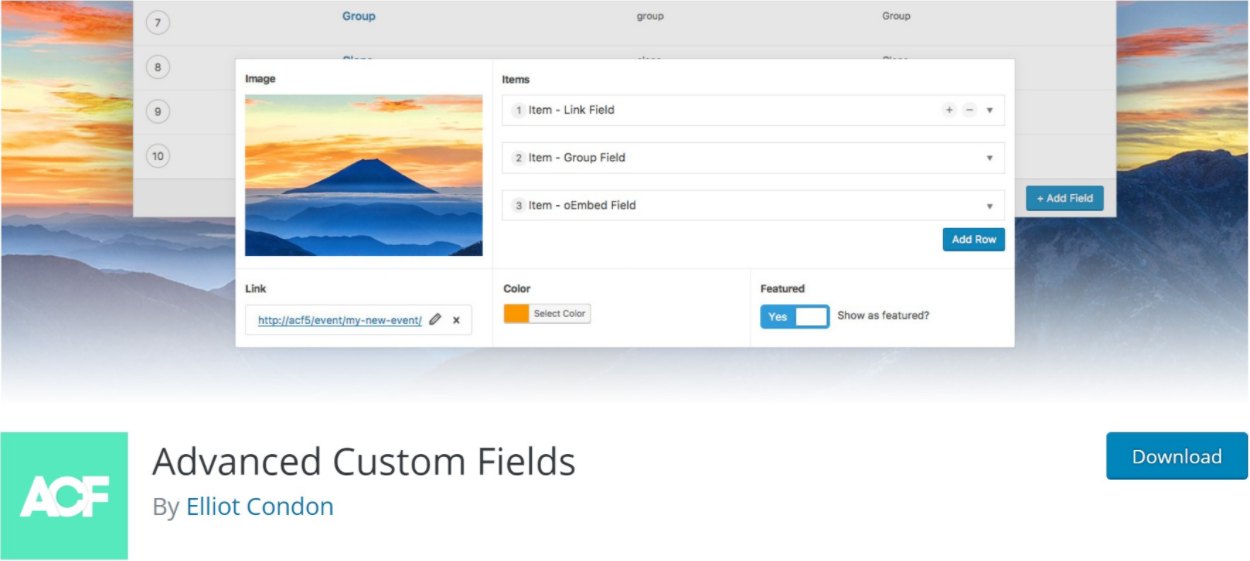
Advanced Custom Fields, or ACF for short, is a popular plugin that helps you work with custom fields on WordPress. This is an advanced WordPress concept, so you probably don’t need this plugin if you’re just a casual WordPress user.
But for advanced users and developers, Advanced Custom Fields is definitely one of the best WordPress plugins if you’re building custom content WordPress sites.
What’s the alternative?
Meta Box and Pods are two popular alternatives to ACF. Both are great plugins, but neither is as popular as ACF.
24. Enable Media Replace

Enable Media Replace is a niche plugin, but one that’s super handy. If you ever need to update an image on your site, Enable Media Replace lets you replace the existing image while keeping the exact same URL. That way, all the existing instances of that image will stay the same – they’ll just display the new image.
25. Cookie Notice & Compliance for GDPR / CCPA

This plugin does exactly what its name suggests – it helps you create cookie consent notices to comply with popular privacy laws like Europe’s GDPR and California’s CCPA. If you want to stay legal in these jurisdictions, you need to get consent for cookies, and this plugin makes that easy to do.
It’s also 100% free, so there’s no downside to using it.
What’s the alternative?
CookieYes and Complianz are two other popular cookie consent plugins.
Visit Cookie Notice & Compliance for GDPR / CCPA
Final Thoughts on the Top WordPress Plugins!
All of the WordPress plugins mentioned in this article, including the alternative plugins provided, are great options. Adding the extra functionality to your website that these plugins provide will ensure that your site is fully optimized for performance, the search engines, and your audience. So, if you haven’t already, it’s time to start installing these top WordPress plugins.
Have we missed a plugin that you think should have made this list? If so, please share away in the comments below…








Psyched to make the list! Thanks, folks!
You bet, happy to include Postmatic! Thanks for stopping by Jason!
Interesting list and choices (though nice to see Postmatic get the recognition they deserve).
Curious – apart from the blurb in the post, was there anything else that made you choose Monarch? I tend to find the counts off (even when you connect the various APIs), the extra load can be awful (it’s a very heavy plugin) and the total shared stats (back-end admin stats) are never the right ones.
Wondered if you’d tried Social Warfare, from Warfare Plugins, or Flare Pro, from Filament Apps? Both excellent plugins, and seem less resource-intensive as Monarch.
Cheers!
PS – I’d also give a shout to Timersys Popup Pro plugin, awesome features.
Hey Danny,
I haven’t checked those out, but will do so. I use Monarch a lot so it’s kind of a goto choice out of habit.
Cheers,
Daryn
Hey Danny, Glad to see you here — thanks for stopping by and sharing your insights.
I’m in the process of adding a new social media plugin, and both (Flare & Social Warefare) looks fantastic. I think I will go with Flare Pro.
I’ll also take a look at the popup plugin — hearing first time about it, though.
Cheers,
Dev
Yea here’s a second vote for Social Warfare. It’s the real deal.
Hey Jason, thanks for the vote — I’ll give it a try :-).
another vote for social warfare
For sure, mate – I do like the way Flare Pro handles mobile sharing, very elegant and non-intrusive, Been trying to get the Social Warfare guys to do something similar for a while, have to keep bashing away. 🙂
I stayed off optins (as in the popup versions) for the longest time. They always seemed invasive and annoying. But, thinking about it, I realized that was more down to the blogger and poor optimization than the solution itself.
Since using it, I’ve seen subscribers grow, so it definitely works.
Interesting enough, I’m A/B testing it with an after-post version (the Pro version just released an update that allows After Post), and the popup is still the one converting more.
So, though it’s early days, it’d suggest that bloggers that aren’t using some form of popup (and I like Exit Intent setting the best) are missing out on a potentially large number of new subs.
Hey Daryn,
Extremely LOVED post I read today so far!
Some great, useful and powerful plugins you included here starting with Yoast SEO!
I am only using the handful plugins from the list. Now, I gotta replace a few ones with some! 🙂
Thanks for that and I am happy to share it on my social life!
~ Adeel
Thanks Adeel!
Hi,
just a small correction if I may: it costs $4.99 to optimize 5K images with ShortPixel and not $4.00
Hi Alex,
Updated the price — thanks for pointing it out.
Wrong link for Postmatic.
Fixed.
Hi,
Jonathan from WP Rocket here.
Thanks for mentioning WP Rocket. Glad you love it 🙂
For your information, we also have now a new plugin to optimize your images size. It’s Imagify: https://wordpress.org/plugins/imagify/
Feel free to contact us if you want to try it, we will be happy to offer free extra credits.
Thanks Jonathan,
I’ll check out the new plugin as well.
Daryn
Hi,
Just wanted to add “Booking Ultra Pro Appointments Plugin” and “Rublon Two-Factor Authentication”. Both are very promising and impressive plugin as well.
Thanks,
I’ll have to check those out as well Bryan.
Cheers,
Daryn
I give a big thumbs up to WP Fastest Cache Premium over WP Rocket for caching – I purchased both, and WP Rocket gave me a refund. They guarantee that your site will be faster over any other caching plugin. Even after their support team adjusting the settings, they didn’t come close to besting WP Fastest Cache Premium.
Hey Travis,
I’ll have to check out WP Fastest Cache. I still like WP Rocket and it’s great to see them stand behind their product.
Cheers,
Daryn
Hi, I am big fan of your blog. I am using Yoast SEO Premium plugin, Clef Two-Factor Authentication plugin and Limit Login Attempts plugin for my blog. Really helpful article. Thumbs up 🙂 (y)
Thanks Sumanta,
Glad you found it helpful!
Daryn
After reading this article i have implemented all of the above mentioned plugins on my website ! Believe u me that all of these provide the great benefits that i haven’t ever think. !
Nice list! I made a similar list a few months back – great minds think alike – we agree on quite a few plugins making a best of list 🙂
My Top 10 is here [Link Removed]
WP Bruiser is a new one to me – I’ll definitely be checking that one out asap!
Hi Daryn,
Really find some unique and never heard WP plugins here. The main problem is currently I am not using any paid plugin. But I use most of the free versions you have mentioned here.
Also find some new names like WP Bruiser and Postmatic. Will definitely going to try both of them.
Thanks for sharing
Cheers
Let us know how it goes!
Glad to hear that, Riju. Let me know how it goes.
Great list.Thanks a lot For Sharing. 😀
Going to buy WP rocket 😀
Glad we could be of help, Ashish :).
Advanced Custom Fields?
This is the plugin I use on EVERY site.
Clef will be discontinued…. The following message on their site:
We’re sunsetting the Clef product
Clef will stop working on June 6, 2017 — we recommend transitioning to another form of two-factor authentication as soon as possible.
These plugins are very important to you. I like Yoast SEO, Constant Contact, Simple Basic Contact Form, WooCommerce and WP Rocket. Thanks for sharing your important content.
This post just helped me help a client of mine that needed a very complex form in their site. I was struggling to get 3 plugins to do the job, and it still wasn’t what they were looking for. After reading this, I downloaded gravity forms, and 2 hours later, their perfect form is up. They think I’m a genius! Thanks for this post.