Developing an appointment booking system is one of the most expensive parts of making a website. Thankfully, when you’re using WordPress to build your website, you can integrate a booking system into your website using a simple plugin with just a few clicks.
There are dozens of great free and premium plugins already available on WordPress that allows you to setup different kinds of appointment booking systems in WordPress. Of course, not all of them are suitable for professional and business websites.
In this post, we take a look at the best and most effective WordPress appointment booking plugins you can use to create a simple and user-friendly booking system for your website.
Let’s get started.
1. Amelia
- ⭐ TrustPilot: 4.1
- ⭐ Capterra: 4.9
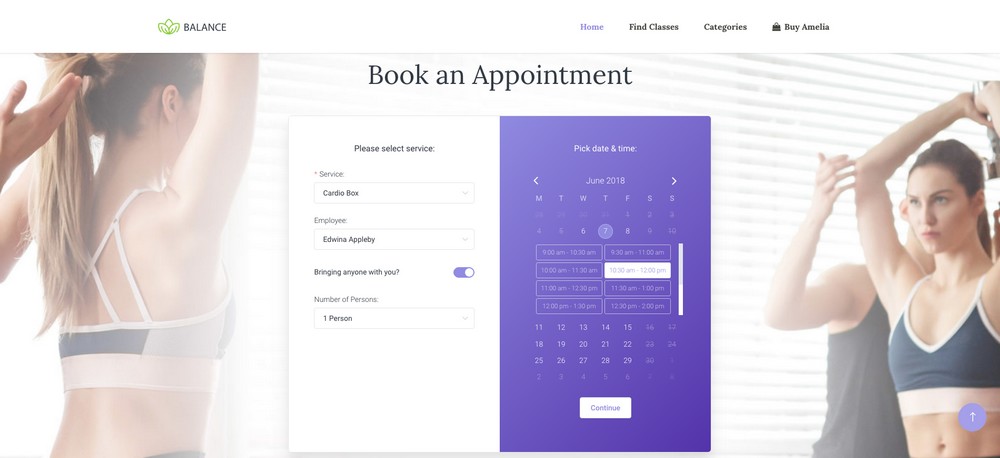
Amelia is a fairly new appointment booking plugin that comes with a set of impressive features and a gorgeous user interface design. This plugin is built for beginners, including both you and your customers.
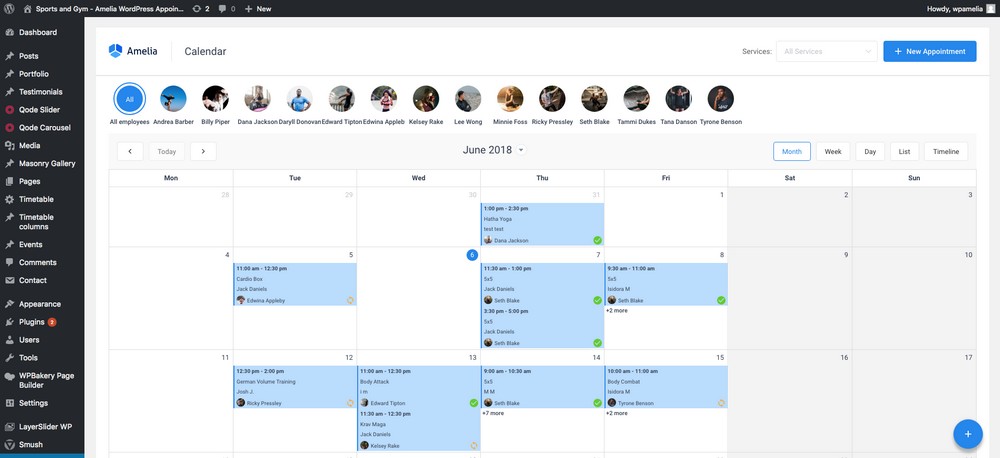
Even if you don’t have any experience in WordPress, Amelia makes it easier to manage your appointments with its beginner-friendly backend interface.
It also features a simple step-by-step appointment booking wizard that makes things easier for your customers to book an appointment without any confusions and includes support for Google Calendar syncing.
Main Features Of Amelia
- Google Calendar integration
- WooCommerce integration
- Booking forms with custom fields
- Beginner-friendly booking wizard
- Automated email notifications system
- PayPal and Stripe integration
- Easy to manage back-end interface
💵 Pricing: Amelia comes with a one-time price of $59. You’ll get 6 months of support and lifetime plugin updates for the same price as well.
👉 You can learn more in our full Amelia plugin review.
💰 Use our Amelia Coupon to get an exclusive 20% OFF.
2. Sugar Calendar Pro

- ⭐ Capterra: 4.3
Sugar Calendar is a lightweight and beautifully simple WordPress appointment and event plugin designed to make scheduling easy — without the bloat. Whether you’re managing events, accepting bookings, or running a recurring class or webinar, this plugin keeps everything streamlined and user-friendly.
For example, if you run a consulting business that hosts both one-on-one calls and group workshops, you can use Sugar Calendar to create separate event types, manage RSVPs, and even connect with payment gateways to handle ticketed events—all from within your WordPress dashboard.
What really sets Sugar Calendar apart is its simplicity. It doesn’t try to do everything — it just focuses on making event scheduling and appointment management intuitive and fast, both for you and your visitors.
Main Features Of Sugar Calendar

- Clean and minimal front-end calendar views
- Seamless integration with Stripe and PayPal
- Recurring events and custom event durations
- Google Calendar and iCal syncing
- Developer-friendly with plenty of hooks and add-ons
- Time zone support for global audiences
Pros of Sugar Calendar Pro
- Clean and simple UI that makes event and calendar management fast and approachable.
- Great for recurring and one-time events, like webinars, workshops, or local meetups.
- Built-in event ticketing and payment support through Stripe (via add-ons).
- Calendar feeds let you sync with Google Calendar, iCal, and Outlook.
- Flexible developer API and lightweight codebase for customizations and performance.
Cons of Sugar Calendar Pro
- Not designed for appointment-style scheduling (e.g., time slots or team booking).
- Limited design customization unless you use custom CSS or templates.
- No built-in CRM, Zoom, or form integrations—requires external tools or plugins.
- Focused mainly on events, so it lacks more advanced scheduling workflows.
💵 Pricing: Sugar Calendar starts at $49.50/year for a single site license, with Professional and Ultimate plans available for more advanced features and add-ons.
3. MotoPress Hotel Booking

- ⭐ TrustPilot: 4.7
- ⭐ Capterra: 3.7
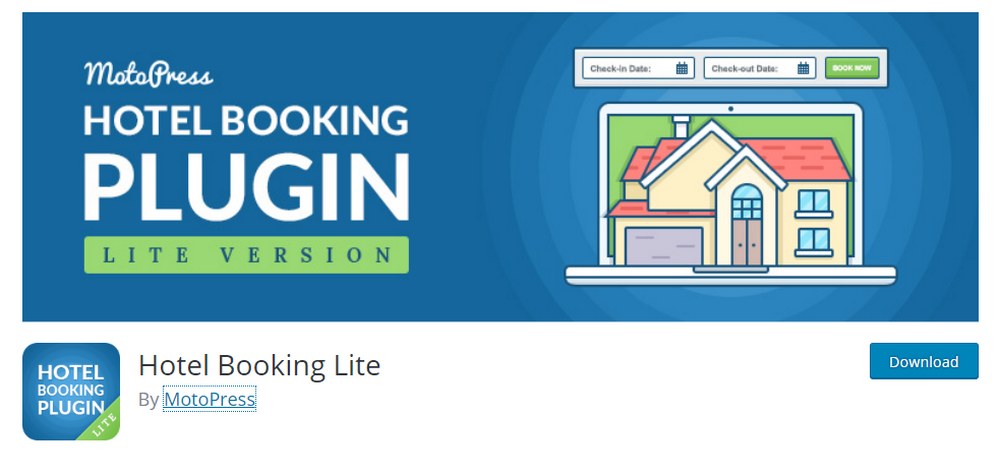
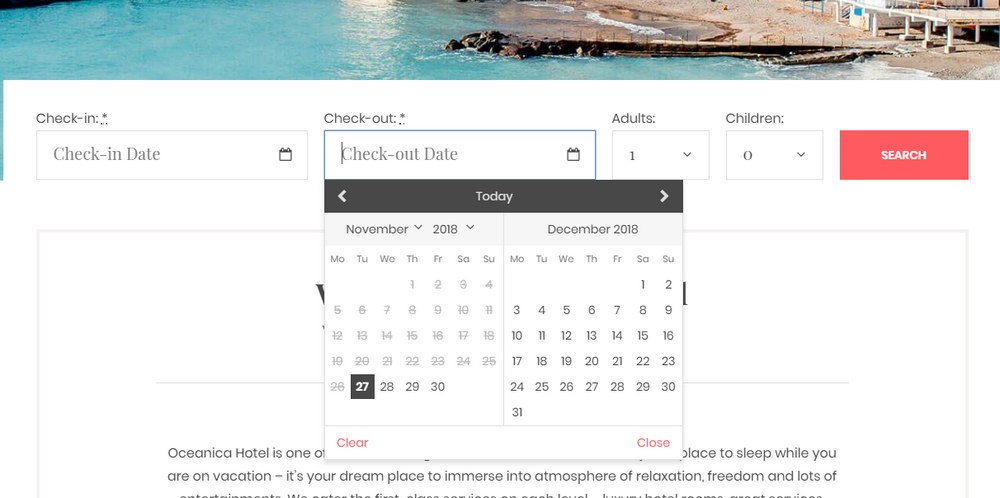
MotoPress Hotel Booking is a WordPress plugin made for creating appointment booking systems for hotels and vacation rental services. The plugin offers a simple interface for booking an appointment using a minimalist calendar while also integrating offline and online payment systems.
The plugin also comes with iCal synchronization system that allows you to sync bookings from other platforms like Airbnb and TripAdvisor to prevent overbooking.
Main Features Of MotoPress Hotel Booking
- Include unlimited rooms/properties
- Unlimited variables for a better pricing system
- Add extra services during the booking process
- Support for multiple accommodations
- Built-in PayPal, Stripe, 2Checkout payment integration
- Email notifications
Pros of MotoPress Hotel Booking
- All-in-one booking system designed specifically for hotels, vacation rentals, and property managers.
- Supports multiple properties and room types, with flexible configurations for occupancy, amenities, and seasonal pricing.
- Real-time availability and iCal sync with OTAs like Airbnb, Booking.com, and TripAdvisor.
- Powerful rate and discount rules, including per-person pricing, minimum/maximum stay requirements, and optional services.
- Multilingual support and GDPR compliance, with translation-ready templates and privacy features.
- Integrates with Elementor, Divi, and major page builders for visual customization.
Cons of MotoPress Hotel Booking
- Many features require paid add-ons, such as payment gateways, custom fields, email templates, and booking reviews.
- Dated user interface, especially in the admin dashboard, compared to more modern competitors.
- Limited support access unless you purchase an extended license or a bundled plan.
- Styling customization often requires CSS, and there’s no visual form builder.
💵 Pricing: You can try out the lite version of the MotoPress Hotel Booking plugin for free. If it has all the functions you need, you can switch to the premium version for $49.
4. Simply Schedule Appointments

- ⭐ WordPress.org: 5
Simply Schedule Appointments is another fantastic WordPress booking plugin designed with simplicity and flexibility in mind. It’s perfect for anyone who wants to let customers schedule appointments directly from their site without the hassle of back-and-forth emails.
For example, if you’re a coach offering multiple types of sessions like free discovery calls, paid one-on-one sessions, or group workshops you can set up different booking calendars for each service. Clients can choose the time, type of appointment, and even pay online if you’ve enabled payments.
In addition to its clean and beginner-friendly interface, Simply Schedule Appointments also includes a polished and accessible back-end dashboard that makes it easy to manage bookings, availability, and integrations with your favorite tools.
Main Features Of Simply Schedule Appointments

- Unlimited appointment types and booking calendars
- Works with popular page builders like Elementor and Divi
- Google Calendar sync and Zoom integration
- Accept payments via Stripe and PayPal (Pro plans)
- Built-in email and SMS notifications
- Supports team scheduling and resource booking
- Fully responsive and accessibility-ready design
Pros of Simply Schedule Appointments
- Easy setup wizard makes it beginner-friendly and fast to deploy.
- Supports multiple appointment types, team scheduling, and resource management.
- Calendar sync, meeting links (Zoom/Google Meet), and email/SMS notifications included in higher tiers.
- Strong integration support with popular tools like Stripe, PayPal, Mailchimp, WP Fusion, and Gravity Forms.
- Compatible with major page builders and supports full visual styling.
Cons of Simply Schedule Appointments
- Advanced features gated behind paid plans, like payments, calendar sync, and team features.
- Not ideal for one-off events or ticketed sessions. It’s more focused on recurring appointments.
- Learning curve increases when using conditional logic or combining multiple calendars.
- Can get heavy if you’re adding lots of add-ons or running on limited hosting.
💵 Pricing: Simply Schedule Appointments offers a free version with basic features. Paid plans start at $99/year, with advanced features like payments, calendar sync, and team booking available in higher-tier plans. Lifetime licenses are also available.
5. Booking Calendar

- ⭐ WordPress.org: 4.7
Booking Calendar is one of the most established WordPress appointment plugins out there—and it’s still a solid choice for businesses that want a reliable, no-frills way to accept bookings on their site. With this plugin, you can let visitors check availability and book appointments or services directly from your WordPress site.
For example, if you rent out vacation properties, offer in-person services, or run a wellness studio, you can use Booking Calendar to display a calendar of available dates and let users make reservations or schedule time slots in real-time.
While the interface is more traditional compared to flashier modern plugins, Booking Calendar makes up for it with dependability, a wide range of configuration options, and decades of community trust.
Main Features Of Booking Calendar

- Accept bookings with or without admin approval
- Display availability in calendar format
- Email notifications for both admins and users
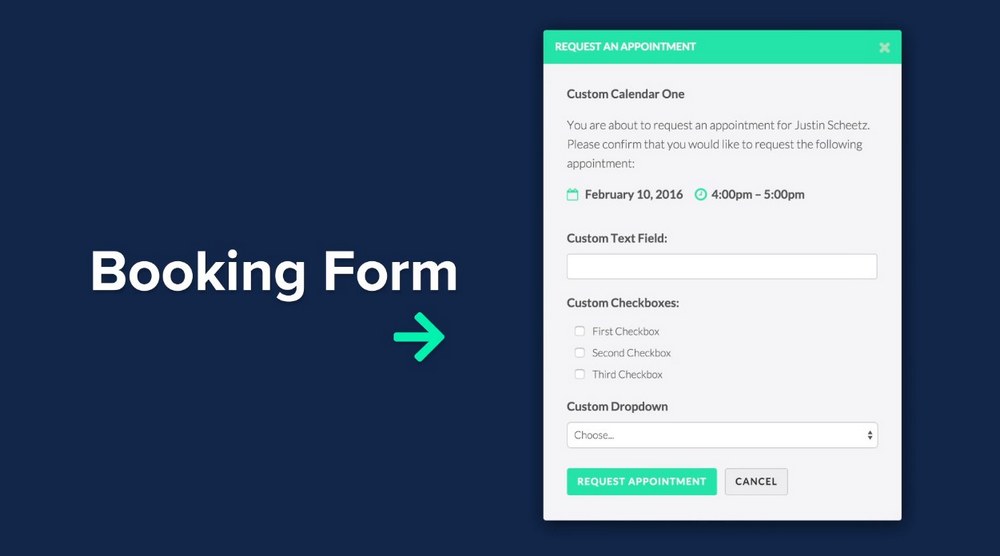
- Responsive booking form with customizable fields
- Captcha support to reduce spam submissions
- Google Calendar integration (Pro versions)
- Shortcodes for embedding booking forms anywhere
Pros of Booking Calendar
- Tried-and-tested reliability with over a decade of active development.
- Supports a wide variety of use cases, including daily, hourly, and multi-day bookings.
- Custom fields, approval workflows, and booking rules are all configurable.
- Flexible calendar display options that can be embedded almost anywhere.
- One-time licensing options available (not subscription-based).
Cons of Booking Calendar
- Outdated interface compared to more modern plugins.
- Customization requires technical skills. No visual styling tools are included.
- Limited native integrations (e.g., no Zoom, CRM, or external marketing tools).
- Complex setup for team-based or resource-based bookings.
💵 Pricing: Booking Calendar offers a free version with core booking features. Premium versions start at $79 (one-time fee) and include advanced functionality like multi-day bookings, payment gateways, and more complex scheduling options.
6. Bookly

- ⭐ Capterra: 4.0
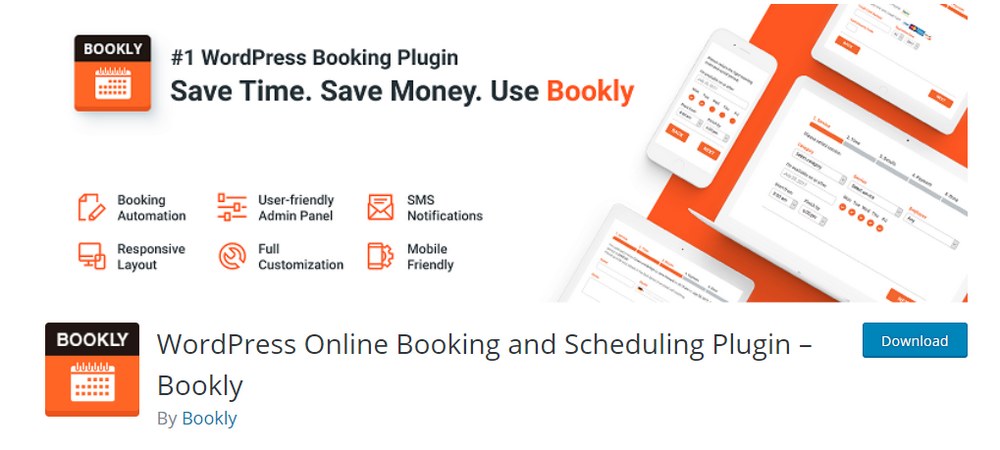
Bookly is an all-in-one and a powerful appointment booking plugin you can use to setup a booking system for all kinds of business and service websites, including salons, yoga centers, education websites, gyms, and more.
The plugin comes with lots of useful features as well, like multiple calendar views, a searchable booking list, and the ability to offer translations with WPML plugin.
Main Features Of Bookly
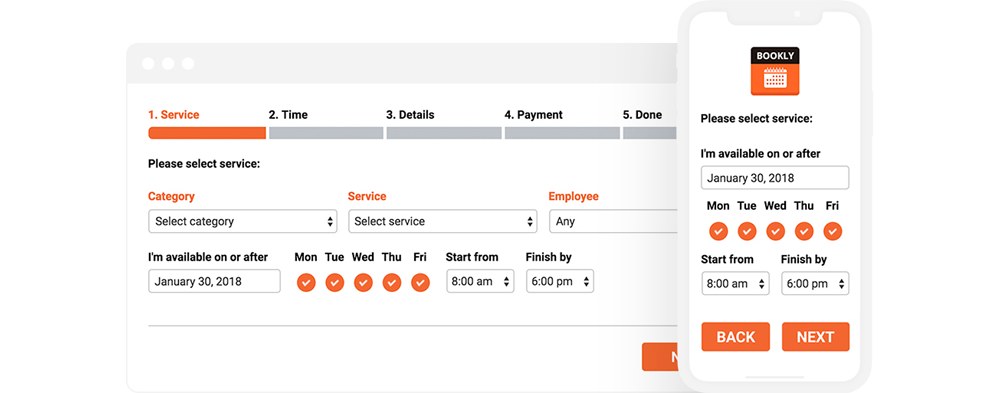
- Customizable front-end booking form
- Fully responsive design
- Translate user interface using WPML
- SMS and email notifications
- Premium add-ons
Pros of Bookly
- Highly customizable booking flows with a modern step-by-step interface that’s smooth for users.
- Modular design with a wide library of add-ons for payments, group bookings, staff scheduling, and more.
- Google Calendar and Outlook sync available, along with Zoom and other tool integrations.
- Supports multi-location and multi-staff scheduling, making it a good fit for salons, clinics, or agencies.
- SMS and email notifications, appointment buffer times, and built-in cancellation and rescheduling options.
- Good mobile responsiveness and touch-friendly booking forms.
Cons of Bookly
- Many essential features require paid add-ons, which can get expensive quickly.
- Free version is very limited, so you’ll need to upgrade to get most practical functionality.
- Updates and support can be inconsistent, with some users reporting broken features after updates.
- Support is only included for a limited time with the premium version. Renewal costs extra.
- Can feel bloated or overwhelming if you only need a simple booking setup.
💵 Pricing: Bookly is free to use. Although, the premium version of the plugin comes with more useful features like the ability to extend functionality with add-ons. Bookly Pro costs a one-time price of $88 and includes free updates.
7. LatePoint

- ⭐ TrustPilot: 4.8
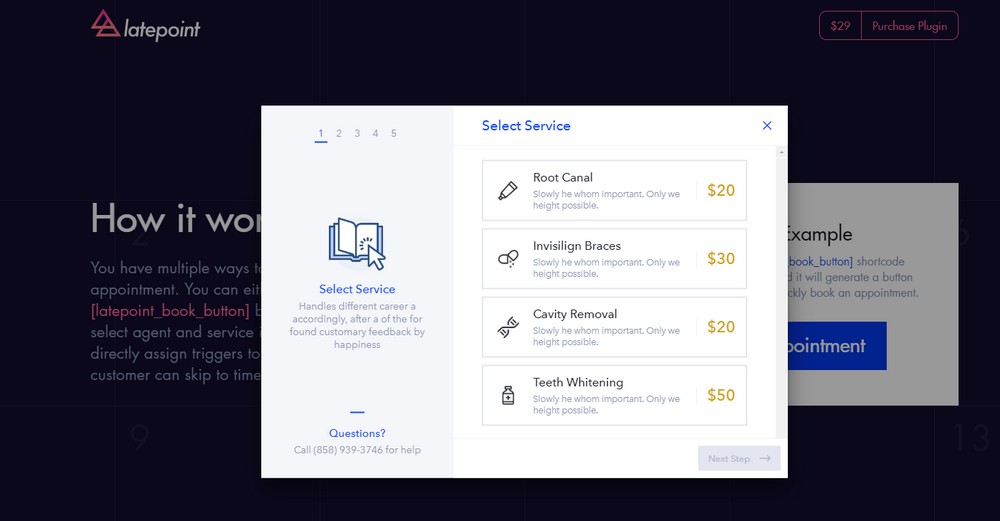
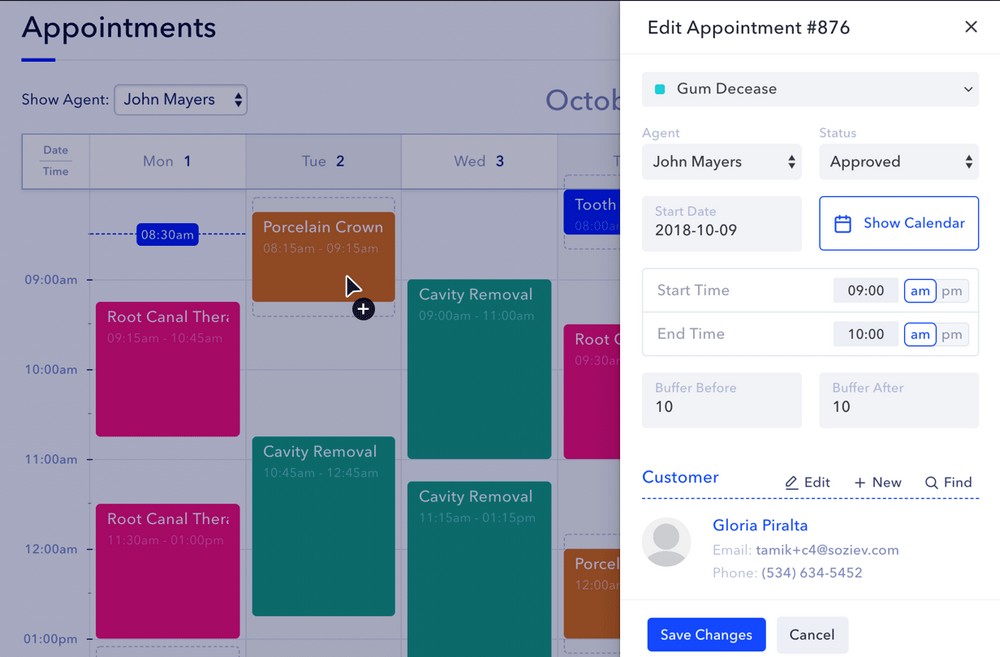
LatePoint is a sleek, user-friendly WordPress appointment plugin that makes online scheduling simple for businesses of all sizes. Whether you offer coaching, consulting, classes, or client services, it gives your customers a fast, easy way to book appointments right from your site.
If you run a team-based business, LatePoint lets clients choose a service, pick their preferred staff member, and book a time, all while handling time zones, pricing, and payments through Stripe, PayPal, Square, or Braintree. You can also enable social logins, send email or SMS reminders, and give customers access to their own booking dashboard.
Behind the scenes, LatePoint includes powerful admin tools like staff dashboards, booking analytics, built-in messaging, and flexible developer hooks. It also supports group bookings, appointment bundles, visual form customization, and integrations with Zoom, WhatsApp, and more.
Main Features Of LatePoint

- Customer-facing booking wizard with service, agent, date, and time slots
- Agent-specific dashboards and individual availability settings
- Customer cabinet area with messaging, rescheduling, cancelation, and booking history
- Google Calendar and Outlook sync
- Zoom and Google Meet integration via add-ons
- SMS and email reminders powered by Twilio
- Sales analytics dashboard
- Webhooks and workflow automations via Zapier and other tools
Pros
- Polished, modern booking interface that looks great on desktop and mobile
- Fast and intuitive setup with a speedy booking wizard for customers
- Supports multi-staff, multi-service booking, perfect for agencies or team-based businesses
- Built-in payments with Stripe, PayPal, Square, and Braintree
- Google Calendar and Zoom integration, plus optional WhatsApp messaging
- Social login support for faster bookings and account access
- Customer dashboard lets users view, reschedule, or cancel their appointments
Cons
- No free version, so there’s no way to try it before buying
- Add-on-heavy pricing model, with some advanced features requiring separate extensions
- May feel overpowered for solo users or businesses with simple booking needs
- Relatively new compared to older plugins, so fewer third-party integrations and tutorials
- Customization options may require CSS or dev help if you want full visual control
💵 Pricing: LatePoint is offered in both annual and lifetime plans. All plans unlock the full feature set, differing only by how many sites you’re licensing. Starter, Scale, and Agency tiers support various site counts and budgets. Annual plans start at $79/year and Lifetime plans start at a one-time payment of $199.
FAQ: WordPress Appointment Plugins
If you’re thinking about adding appointment booking to your WordPress site, you’re bound to have a few questions. This FAQ covers the most common ones to help you choose the right plugin and get set up with confidence.
A WordPress appointment plugin helps you take and manage bookings right on your website. Most of them include things like a calendar, time slot selection, customizable forms, and automatic notifications. Some also offer payment options or let you assign bookings to different team members. It’s a simple way to automate your scheduling, whether you’re booking one-on-one sessions, running classes, or offering in-person services.
Whether you need a paid plugin or not depends on how complex your scheduling setup is. If you’re running a simple solo operation with just a few services and don’t need things like payments or calendar syncing, a free option like Simply Schedule Appointments (Basic) or Booking Calendar (Lite) could be plenty.
But if you need more advanced features like Zoom integration, recurring appointments, online payments, or managing multiple team members, you’ll probably want to invest in a paid plugin or some premium add-ons.
Look for essential features like customizable booking forms, calendar syncing with Google or Outlook, email and SMS notifications, mobile-friendly design, and payment options like Stripe or PayPal in your appointment plugin. If you manage staff or multiple locations, scheduling tools for those are important too.
For industries like hotels, gyms, or clinics, it’s also worth checking for group bookings, per-person pricing, or resource management features.
Most appointment plugins work well with popular page builders. Many include shortcodes, widgets, or custom blocks for tools like Elementor, Divi, Beaver Builder, and Gutenberg. Plugins like Simply Schedule Appointments and Bookly are especially builder-friendly. Just double-check the documentation to make sure it fits yous.
Yes, you can accept payments through appointment plugins as long as the specific tool states that it supports this feature. Many paid versions let you accept payments through Stripe, PayPal, or even offline. Some also offer features like deposits, coupons, or custom pricing. Just keep in mind that payment options usually aren’t available in the free versions.
Appointment plugins are made for one-on-one or service-based scheduling, like booking a haircut, consultation, or therapy session. Event plugins, on the other hand, are better for group activities like webinars, classes, or workshops.
Some plugins offer both, but in general: use appointment plugins for time-based services, and event plugins for scheduled group activities.
Yes, you can use one plugin to manage multiple team members, but not every plugin includes that feature by default. Look for options that support staff assignment, individual availability, or location-based scheduling. Plugins like Bookly, LatePoint, and the Business plan of Simply Schedule Appointments are built to handle team-based bookings.
Which Plugin Should You Use?
Depending on the type of website you’re making and your available budget, you can choose any one of these plugins to setup a powerful and effective booking system. Because they’re all good at the task of appointment booking.
However, if you’re looking to make an appointment booking system for a service based website, Amelia and LatePoint are both really great solutions since they provide a better user experience with simpler ways of booking and managing appointments.
MotoPress Hotel Booking plugin is probably the best solution for other types of websites, such as hotels and apartment or vacation rental websites, as it comes with advanced functions and features.
Bookly is great for small businesses like salons and fitness websites.
Whichever plugin you end up choosing, keep in mind that it’s an investment you make towards providing a better service to your customers. It will make a great impact on the success of your business. So, choose wisely.








Bookly is a tried and tested appointment calendar in my opinion that can be scaled up, with a number of additional plugin upgrades if needed.
We tested Amelia and Bookly (paid versions) for a hospital patient reservation.
Both of them are capable, but Amelia’s backend seemed faster and easier for my client/doctors.
We went with Amelia this time…