

SumoMe is a free toolkit for growing your website traffic. At the moment the toolkit consists of two apps: one for making it easier for your readers to Tweet your content, and the other for adding a popup opt-in signup form to your site.
The tools can be used on any type of website, but for WordPress users there is a handy free plugin which makes enabling the apps on your site even easier. In this ‘How To’ guide we will cover installing and configuring this toolkit so you can begin using these premium features for free on your WordPress site, and start growing your website traffic and mailing list subscribers.

Installing SumoMe
You can download the plugin from the SumoMe website but a more convenient option is to install it directly from within your WordPress dashboard by going to Plugins > Add New then searching for SumoMe.
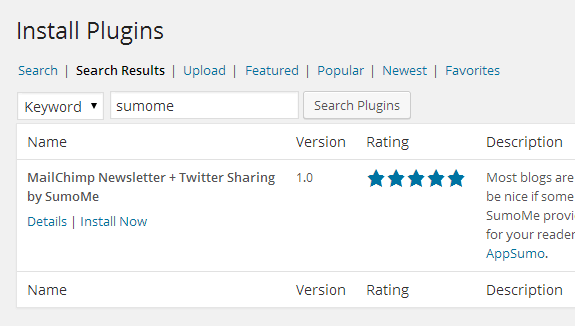
Once you’ve found the plugin, click on Install and then Activate Now once it’s been installed. The plugin does add a menu item to the admin dashboard menu, but the plugin is actually configured via the frontend of your site.
Setting up SumoMe
Once the plugin has been installed and activated, a blue icon is added to the top right corner of the frontend of your site. This icon is activated by moving your mouse cursor over the icon, and then by clicking on it you can begin configuring the plugin and setting up the tools.
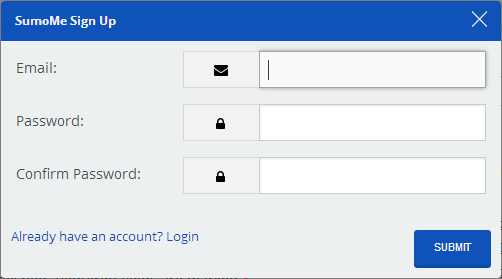
The first step is to sign up for an account at the SumoMe website, this requires you to hand over your email address and then create a password for your account.
After entering your details, you should be able to click on the Sumo Store icon, which will show you the available tools.
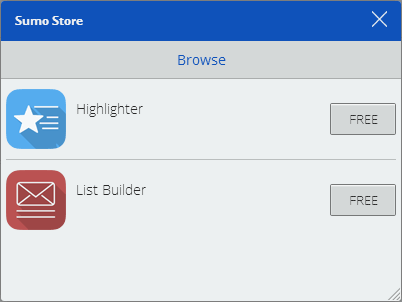
From here you can install the available options, which at the time of writing is:
- Highlighter: make it easy for visitors to Tweet your content
- List Builder: add a popup opt-in form for your email mailing list
Once you click on the button for the corresponding tool, it will be installed on your site.

Setting up Highlighter
With Highlighter installed, when a visitor highlights some text on your site, a box is displayed containing that text, and a button which will allow them to Tweet it. It’s a great way for encouraging users to Tweet quotes from your blog posts.
Once a tool has been installed, it can be configured by clicking on the ‘open’ button. From here you can enter the required details, such as Twitter username for the Highlighter tool, or entering the details for the opt-in form.
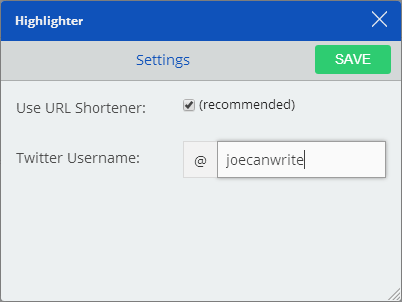
Once the Highlighter tool has been setup, whenever someone highlights any text on your website, they will be given the opportunity to Tweet it to their followers or share it on Facebook.
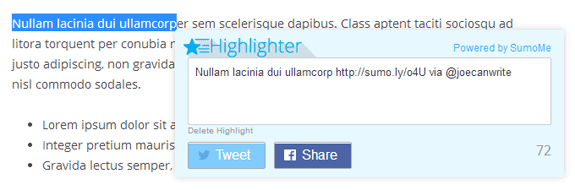
Once a piece of text on your site has been tweeted in this way, a marker will be added to your content to indicate to other visitors that someone else has tweeted that piece of text. It’s a simple but effective tool that should help increase the number of social shares your content gets.
Setting up List Builder
The List Builder tool displays a clean and well-designed popup form on your site that is used to sign visitors up to your mailing list. It can be connected to an email newsletter service or store the emails for use at a later date. You can also get stats on your forms, such as their conversion rate.
With the List Builder tool from SumoMe, you can enter the text you’d like displayed on the opt-in signup form for your email newsletter.
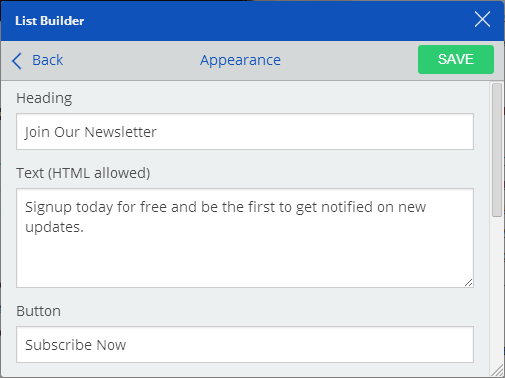
You can also choose when to display the popup form, such as how long to wait before showing it after a visitor has landed on your site, as well as how often to show it, such as showing it every X minutes, hours, days, months or years.
From the List Builder settings you can also change the colours of the form. You can choose from three colour schemes, or create your own custom colour combination.
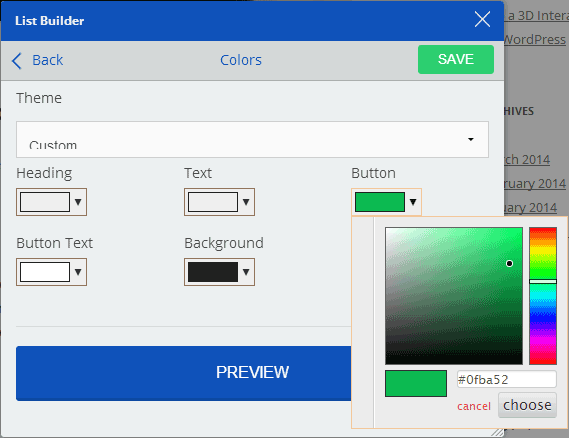
You can preview each of the colour schemes, or your custom creation by clicking on the big preview button so see the popup window in action.

Once you are happy with the form, you can then connect it up with your email marketing tool. Currently List Builder works with four email marketing services: Aweber, MailChimp, Constant Contact, and Campaign Monitor.
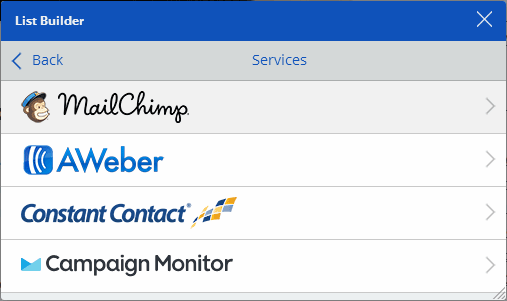
Click on your mailing list provider to then connect it to your account. If you are not yet using a compatible email marketing service, you can instead opt to save the signup emails in a CSV file for later use. In the advanced settings of the tool, you can also enter your own form HTML for giving the popup opt-in form a completely custom look.
Conclusion
Now you should have two great free tools added and setup on your site to help increase social shares on Twitter and Facebook, as well as growing your mailing list with a nice looking popup opt-in form.
If you’re looking to grow your email list, SumoME is a great tool. It comes with a dozen of useful features that can help you get more subscribers very easily. Plus it is not limited to WordPress, meaning you can install it on any type of website.
Alternatively, you should also check out Thrive Leads, if you’re looking for a more advance list building plugin for WordPress.








This certainly sounds like a very good plug in to go very well with my current campaign to start building my list. Thank you
Thom
I didn’t know about these tools from Sumo, and I’ve been a long time sumoling as they call theirs subscribers.
Thanks for letting me know.
I’ve tried to add SumoMe to my website, however I would only like to enable the sign-up form for certain pages. Is there a way to specify just a few pages on which I would like to enable it?
Hey Andy,
I have no clue if SumoMe allows you to target signup forms to just certain pages…but there’s another WordPress plugin, Icegram that allows you to.
Using Icegram you can select the pages where you want the pop-up to appear. You can also set the time and the retargeting rules for the pop-ups. Not just that, Icegram provides you with 3 other message types i.e. ActionBars, Notifications and Messengers. Also to be noted: Icegram is absolutely free..so do give it a look.
Visit http://www.icegram.com to know more.
You can add rules in order to only show or don’t show on some pages.
You right Martin. sumo Me has only two options in rules show and don’t show on some pages. This is simple for novice users or people who need simple targeting. However for more focused more targeted kind of requirement Icegram provides broader options of targeting. Both have its pros and cons and it completely depends on the users requirement to choose what suits them better.
Exactly what I have been looking for! Are they new? I have never heard of them before. Thank you for this useful information.
Nop, it has been a year since they launch their first app.
SumoMe is an all-in-one suite of tools for traffic and social media share generation. It is very helpful tool for people who don’t know coding.
People often get confuse when they don’t find the plugin set up in the plugin area but you have made it really simple to understand.
Thanks for sharing.
Now called Sumo.com, the free program no longer allows me to download my new email subscribers. Plus there is no customer support at all.
I will have to go with a different program and do not recommend Sumo any longer, as there is no support and no explanations. Just doesn’t work.
Hi there
Very informative and well written. Thank you.
However, I am with a different email service, not any one of those you mentioned.
Can your SumoMe still be used?
Check out their integrations page to see which services they support.
Hello Sir!
I am using SumoMe with rails and got stucked as when I try to share a blog, the pop-up show according to social media but the shared url is not there. Please help me? I have tried many articles and found nothing.
Waiting for your help.
Thanks