

Even though WordPress’ services are generally free, managing a WordPress site really isn’t. Yes, while it is true that up to now, WordPress is free there are a lot of costs entailed in the site management side of things that is no joke.
Of course, you can always try out a WordPress.com blog and casually create content in it. You won’t pay a dime, sure, but your blog will be located in a subdomain. That means you are granted the basic features and you really don’t own the identity of the website you have.
Chances are that you don’t like particularly like that idea. You want your brand to be imprinted and recognized separately, meaning no .wordpress.coms attached to the end of your URL. If you are planning to do some serious business where you’re going to drive profit and income to your business on your site, then you would want your own self-hosted WordPress site.
And that is where your pockets come.
Here is a rundown of some of the costs that will come in your way:
- Domain registration (Essential)
- Hosting (Essential)
- Premium theme (Important, but not essential — it is a nice touch though)
- Developer fees (Recommended and Important but not essential)
- Content (Essential)
Let’s get this started!
Domain Registration

One of the things you and I have to pay for is domain registration. Your domain will be the address (URL) in which your website will be used to go to. That is why you should remember that your domain will be your stamping identity. You have to think about a solid and user-and-SEO-friendly domain name — at the very least, is should be brandable.
Here are a few things MOZ.com suggests:
- Brainstorm 5 Top Keywords
- Make your name unique
- Don’t register a domain that may be confused with an already popular website.
- Try to choose dot-com domains as much as possible.
- Make it easy to remember and type.
- Make it short
- Avoid Copyright Infringement
- Don’t use hyphens and/or numbers
How much is a domain?
Normally, you can register a domain for around nine to eleven dollars. The price, however can skyrocket depending on the name you are registering (some are thousands of dollars — yikes!). There will be instances where you will think of a domain and end up being disappointed because it has already been registered, or someone’s parking it for to use or sell later. And that could be frustrating.
Where to register domains?
Here are a few places where you can register a domain:
Hosting
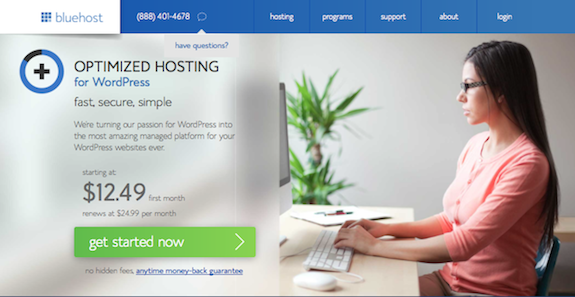
Now that you have a domain ready, it’s time to find a hosting service. Every website is required to be hosted for it to be live on the Internet. Hosting services are like spaces in which your website files are being kept so that when a person tries to go on your site, they will be readily available.
Choosing a web host can be tricky, of course. You have to think of different concerns and identify your projection of the traffic that is about to come in your site. Once your traffic doesn’t match your hosting services, two things can happen: first, if you bought hosting services built for heavy-traffic generating websites but end up not having any visitors at all, it’s a bad deal.
And, second, if you acquired services for a low-quality hosting and ends up generating a lot of traffic, your website will be down, or you’ll be charged a ton. I personally have tried a lot of hosting services before finding a good one that could accommodate my traffic.
- How much is it? Normally, hosting services range from $10 to $300, depending on the hosting plans.
- What hosting services can you recommend? Devesh has written a great round-up of Managed WordPress Hosting services you could choose from.
Premium Themes
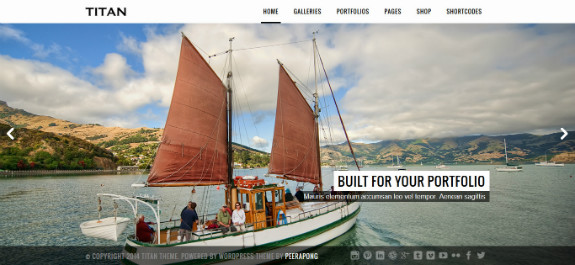
Now that you have a domain name and a host to start your website, it’s time to make it work. Assuming that you will be using WordPress as your CMS, you will have to buy (or download) a theme.
Now the price of choosing a theme will be difficult to determine. Of course, there are some cheap themes out there (some even come for free).
Beginners will be attracted to the cheaper price, of course, but if you really want your website to be the next big thing, you need to invest on something more secure, productive and beautiful.
A premium WordPress Theme normally sells for around $59. This means that for this amount, you will be getting the full features of the theme, a pretty decent documentation, and good support — hopefully.
Here are a few places where you can purchase a theme:
- Elegant Themes (use our coupon to get 20% off)
- Meridianthemes
- ThemeForest
Developer Fees
On the other hand, if you want your website to look ‘more original’ and you would like to make it have a more personal touch, you might want to hire a developer for that.
Of course, the price of having a developer is a little bit costly than just buying a ready-made theme. However, it comes with upsides:
- Once problems arise, you can count on your developer to help you on the fly.
- You would have a more personal feel to your website.
- You’ll be able to relay your requests easily and make your website more fit with your brand.
- They will facilitate troubleshooting, backups and other tasks for you.
So how much will having a developer cost? There is really no definite amount for paying a developer. Each person has his own expertise and experience thus making the level of salary vary.
Content Creation: Hiring A Writer

photo credit: Lívia Cristina via photopin cc
Of course, last comes off the list is content. Once you are done creating and designing your website, it’s time to put something in it. No one will visit your website if nothing usable can be found in it. And zero visitors will only mean zero conversions.
Content is king! Content become so important in any website for several good reasons:
- Search Engines are content-driven. Let me ask you this, if you are to look for something on the Internet, how will you find it? Of course, the answer cannot be as obvious as this: Search Engines.
Google, Bing, and Yahoo drive traffic to websites the most. When people search for something, they most probably click on the first link they see. So if you will be on the top of the list, imagine how much traffic will you be able to generate.
It only means that you have to invest in good content because it’s what search engines crave for.
- It’s what the audience wants. As I’ve said earlier, your visitors go to your website to find something. Be it a blog post or a new service, they visit you for them to gain something. Forget all the SEO Jargons you may have encountered and go back to basics. You exist for your visitors so better give them what they want.
This only means one thing. After you have fully developed your website, you have two options. Write your own content, and have other people write for you.
Now, of course, since we are discussing the maximum amount of spending for a WordPress site, let’s assume that you opted to hire others.
There are a lot of freelancers out there who will gladly write for you for a small amount. You can readily go to freelance markets like Upwork or contact freelancers directly. But of course you need to check whether they can provide you with quality. Here are a few things to think of:
- Speed
- Mastery of the Language
- Mastery of the Niche
- A reputable portfolio
Normally, a writer is paid for around $30-100 per 1000 words depending on the intricacy of the articles you need them to write. Here are some other places that you can post a job post to that are popular among the blogger community:
- ProBlogger Job Board ($50 fee for 30 days)
- Blogging Pro Job Board (Free to post or a small fee to be featured at the top of the list)
In Conclusion
So, now let’s review what
- Domain name: $11
- Hosting: $155 (median amount)
- Theme: $67
- Content: $65 (median amount)
Total: $298 as an average cost
It will take you almost $300 (or more) to start a WordPress site and you should expect to spend more to go into things as you run it. Of course, you have to make the most out of this investment but if you succeed, the returns are most probably be higher than what you invested. Good luck!








Don’t forget to google. Domain coupon code or hosting coupon code. You’ll find both aggressively have ppc ads. I got a year hosting and domain for twelve bux.
That’s a great tip :). Thanks for sharing!
Not a bad article. I agree with you on the costs and necessity of hosting, domain name and your choices for premium themes for wordpress. However, I feel that part of starting a blog is that YOU write the posts. Hiring someone to write for you seems to defeat the purpose of having a blog that showcases your personality and introduces people to your brand. Of course, I’m an author and artist. I AM my brand. 🙂 I write most of the posts on my blog and the ones I do not are author interviews. 🙂
I understand your view on the matter. I’m a writer too and, generally speaking, I like to write posts myself on the blogs I manage. I think hiring a blogger isn’t always a necessity for every blog owner, but I’ve used guest bloggers on my blogs before to sort of bring a fresh take on a topic. Plus, I’d sort of be out of a job if site owners didn’t need content writers 😀
Good article. But I’m not sure that the person who needs that information is someone who can install and put together a WordPress site without a developer. If they didn’t know those things, they’re already a person who *needs* a developer. I’m also sort of hoping I don’t hear from clients who have read this and tell me they’ve “heard” that a WordPress site should cost about $298. Just saying!
Don’t think that author’s calculation is right.
Lets take hosting as an example. Digital Ocean offers a $5/month plan. Which is a perfect choice for a start. Helping us to save about $100. If to compare with numbers in article.
Also there is no reason to purchase a premium theme. Sometimes free themes are even better than premium one. We can start with a free one, saving another $100.
You can even start with a default theme.
It will take you only $60 (hosting) + $15 (domain) to start.
You can even try to save more – use free hosting.
But next step you might want to purchase premuim plugins or hier a programmer. Or hier a designer to create a logo, etc. The cost of these steps differs.
@ dimasmagadan. Doesn’t WordPress give you a free Domain Name (name@wordpress.com) ? So it’s not a perfect but if your really nick picking then it’s a valid point.
SO there’s another saving… Getting towards WordPress being Free?
There is one costing that I didn’t see, that is, Your Time. Your time is (should be) worth a $ value.
Don’t confuse it with WordPress.com
WordPress.com and WordPress.org are completely two different things. This post will help you understand the difference between WordPress.com and WordPress.org.
Regarding the domain name, WordPress.com certainly gives you a free domain, but it adds “.wordpress.com” in its url, which is something that many users does not like.
No I didn’t confuse WordPress.Com with .Org.
“Domain Name (name@wordpress.com) ? So it’s not a perfect ”
My comments indicate wordpress.com and it’s not perfect insinuating exactly that.
I agree – this may not be appropriate for someone NOT setting up their own site, but it does provide some great information on what the costs are when they are doing their due diligence.
Yes there are less expensive methods to putting up a site, but remember a lot of times you get what you pay for. Having free hosting where ads appear is not a very good business plan. Super inexpensive hosting that results in slow response time (i.e., slow page loads) and long wait times for support are not worth it (in my opinion).
There are limitations to using WordPress.com – just read the Terms of Service and you will discover that it is NOT a viable platform if you want to run a business website.
With all that said, thanks, Ariel, for posting and sharing this.
Paul.